DNS records
What each record in a subdomain setup does, how to add them without retyping, and how to fix the usual mistakes.
A subdomain setup gives you a list of DNS records to add. Add every row shown in your setup; the exact list comes from the mail provider. This page explains what the records do and the quickest ways to add them.
Provisioned mailboxes never show this step. We handle DNS on those domains.
The four groups
| Group | Records | What it does |
|---|---|---|
| Domain verification | An ownership TXT and DKIM TXT or CNAME records | Proves you control the subdomain and lets inboxes verify our signature |
| Enable sending | SPF TXT and the provider's bounce records | Lets our servers send for the subdomain and returns bounces to us |
| Enable receiving | MX and any address records the provider needs | Delivers candidate replies to your mailboxes |
| Protect your domain | A DMARC TXT | Tells inboxes what to do with mail that fails the checks above |
Every record is under the subdomain. None touch your main domain.
Reading the table
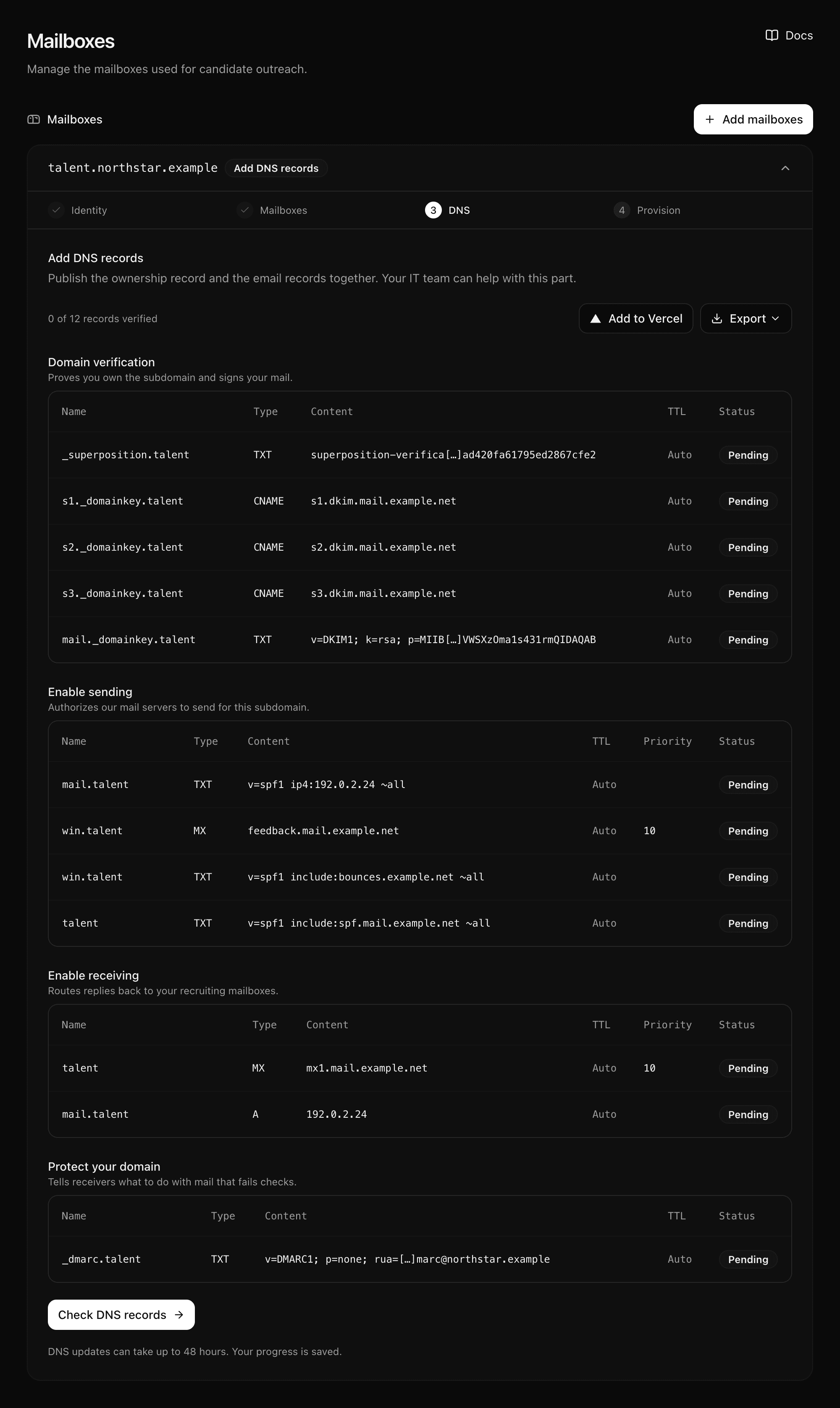
- Name is relative to your domain:
talentmeanstalent.northstar.example. Need the full name? Click the cell to copy it. - Content is shortened in the table. Click it to copy the full value.
- TTL is Auto. Your provider's default is fine.
- Priority shows for MX records. Put it in the priority field if your provider has one. Otherwise keep the number at the start of the value.
- Status turns Verified once the record is live.
Adding records without retyping
Open Export on the DNS step.
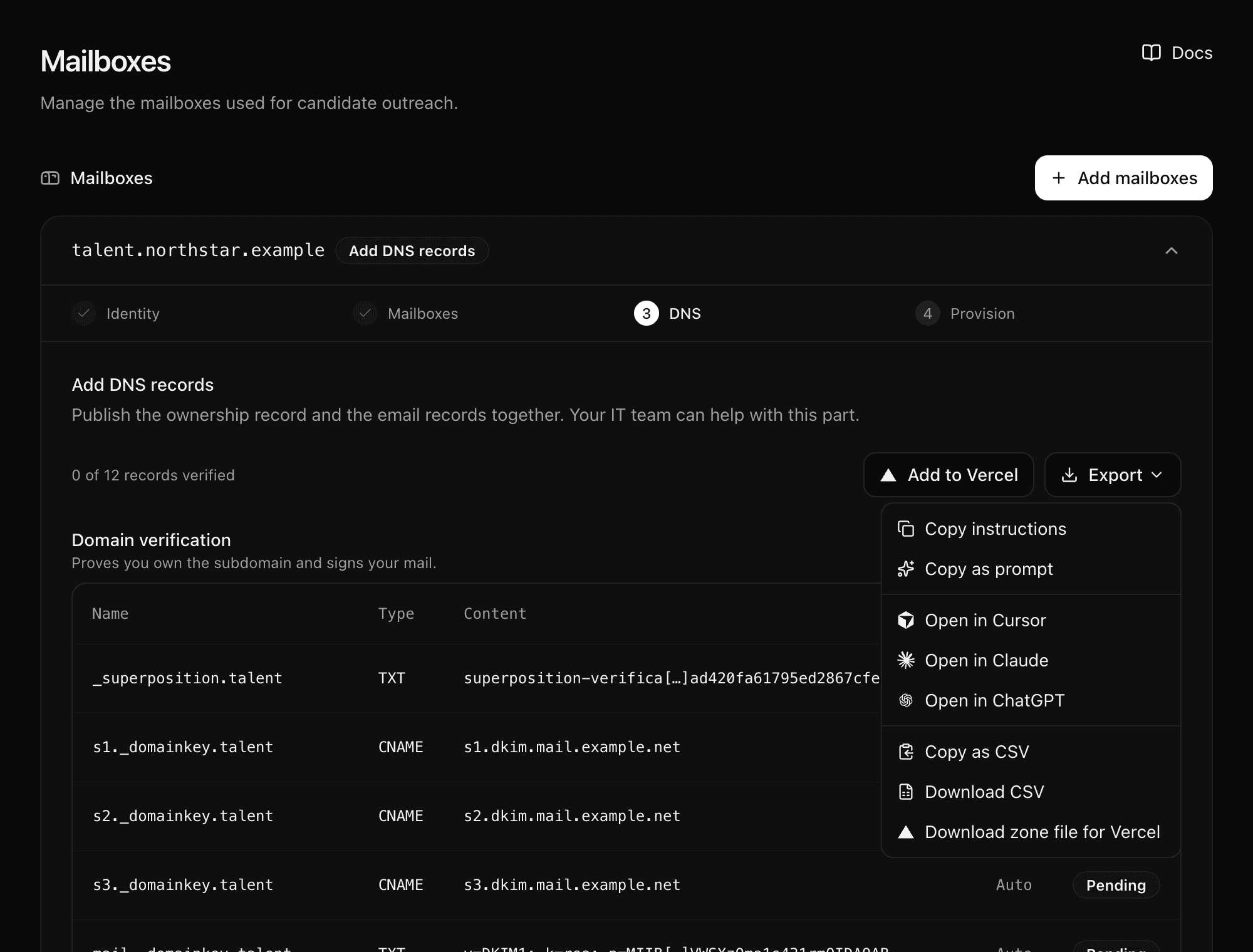
| Option | When to use it |
|---|---|
| Copy instructions | Someone else manages DNS and needs the plain list |
| Copy as prompt | You want an assistant to walk you through your provider |
| Open in Cursor / Claude / ChatGPT | The same prompt, opened in the tool |
| Copy as CSV or Download CSV | Your provider or a script takes CSV |
| Download zone file for Vercel | Your domain is on Vercel DNS: run vercel dns import <domain> <file> |
Add to Vercel opens the domain's DNS page on your Vercel team. It only works when the domain is on Vercel DNS.
Checking
We check the records about every ten minutes while the setup waits. Select Check DNS records to check now. Changes usually show within minutes and can take up to 48 hours.
The setup moves on only when every record is verified, including the ownership record
under _superposition.
Usual mistakes
| What you see | Why | Fix |
|---|---|---|
| A record never verifies; the provider shows the domain twice in the name | The provider added your domain to a full name | Enter only the short name, such as talent |
| The MX record never verifies | The priority stayed inside the value, or was dropped | Put 10 in the priority field and the server name in the value |
| The provider rejects the DKIM TXT as too long | It limits the length of one string | Most providers split it for you. If not, split the value into quoted 255-character pieces |
| Everything verified at the provider, card still says Add DNS records | The _superposition ownership record is missing | Add it like any other TXT record |
| Two subdomain setups clash | Both use the same label | Give each setup its own label |
Last updated on