Setup status
Every state a mailbox setup can show, what it means, and what to do.
Each setup on the Mailboxes page is a card with the domain, a status badge and a step bar. Ready cards start collapsed.
Status badges
| Badge | Applies to | What it means | What to do |
|---|---|---|---|
| Pending domain verification | Subdomain | We are setting up the subdomain with our mail provider | Nothing. The ownership record shows first; the rest follow shortly |
| Registering domains | Provisioned | We are buying and configuring your new domains | Nothing |
| Add DNS records | Subdomain | Records are ready to add, or some are not live yet | Add them, then select Check DNS records |
| Creating mailboxes | Both | The mailboxes are being created | Nothing |
| Connecting mailboxes | Both | The mailboxes exist and are being connected for sending and replies | Nothing |
| Ready | Both | Every mailbox is connected | Ask your account team to add them to campaigns |
| Needs attention | Both | A step with the provider failed | Use the card's Email support link and keep the card |
Step bar
- Subdomain: Identity → Mailboxes → DNS → Provision
- Provisioned: Identity → Mailboxes → Provision
Identity and Mailboxes happen in the dialog, before the card exists. A tick means done. The highlighted number is the current step.
Refresh
The page updates every fifteen seconds while a setup is in progress, and every five seconds for a minute after you select Check DNS records or Check progress. Behind the scenes the setup checks in about every ten minutes; the buttons ask it to check now.
Needs attention
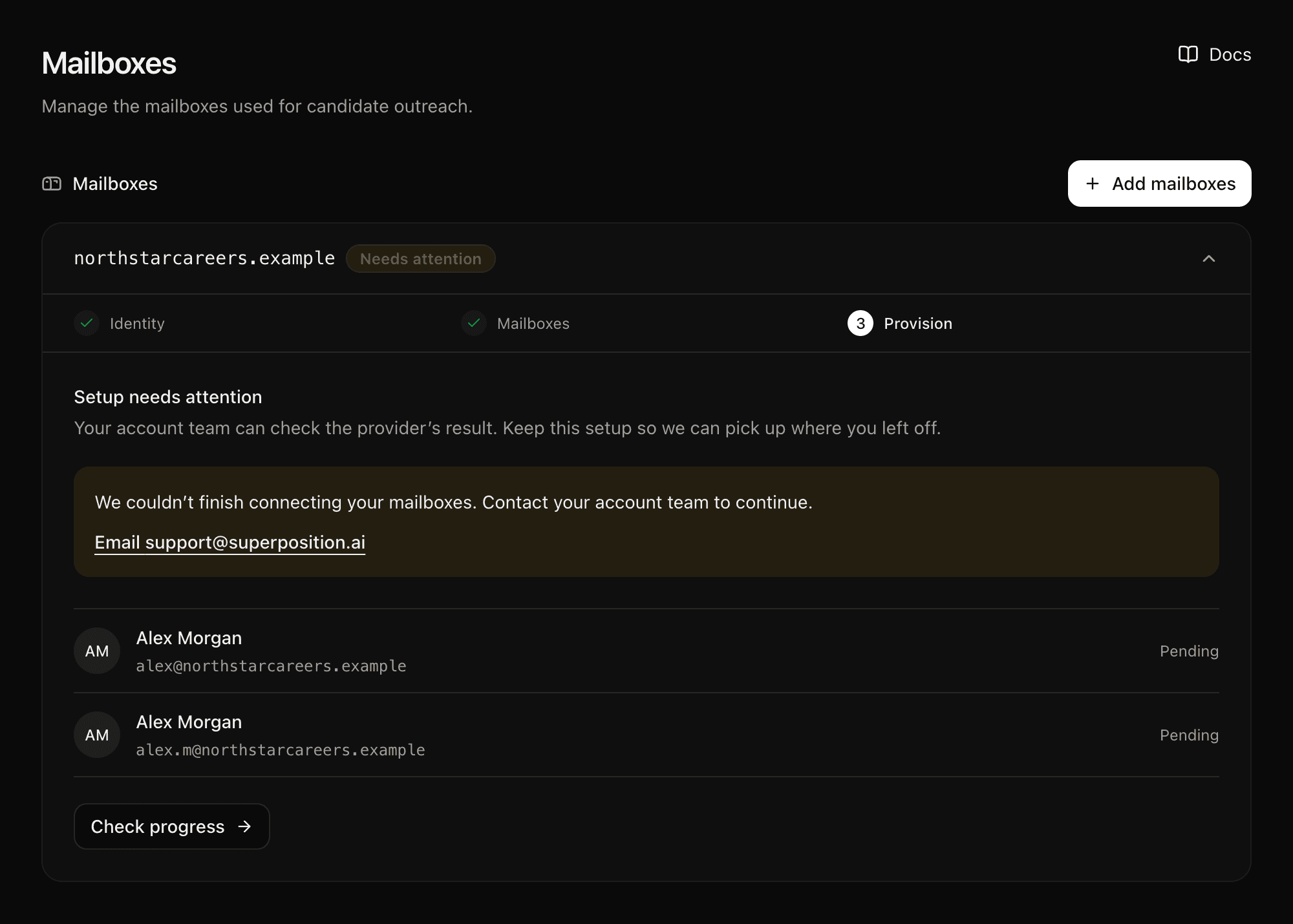
When a step with the provider fails, the setup pauses instead of retrying, because some steps cost money and must not run twice. The card keeps your plan. Use its Email support link; your account team checks with the provider and resumes the setup from where it stopped. Do not start a second setup for the same domain.
Mailbox states
Inside a card, each mailbox is Connected or Pending. If a connected mailbox later drops, its row is flagged while the others keep sending, and the setup stays Ready.
Gmail mailboxes show Verified or Needs reverify in the mailbox list instead. See Connect your Gmail.
Last updated on