Write a scorecard
Save your own assessment and share it with the hiring team.
Turn a Signal conversation into a clear recommendation, supported by what the candidate said and demonstrated.
Each interviewer has a separate scorecard for the interview. Write yours while the conversation is fresh; you can save feedback while the AI recap is still being prepared.
Open your scorecard
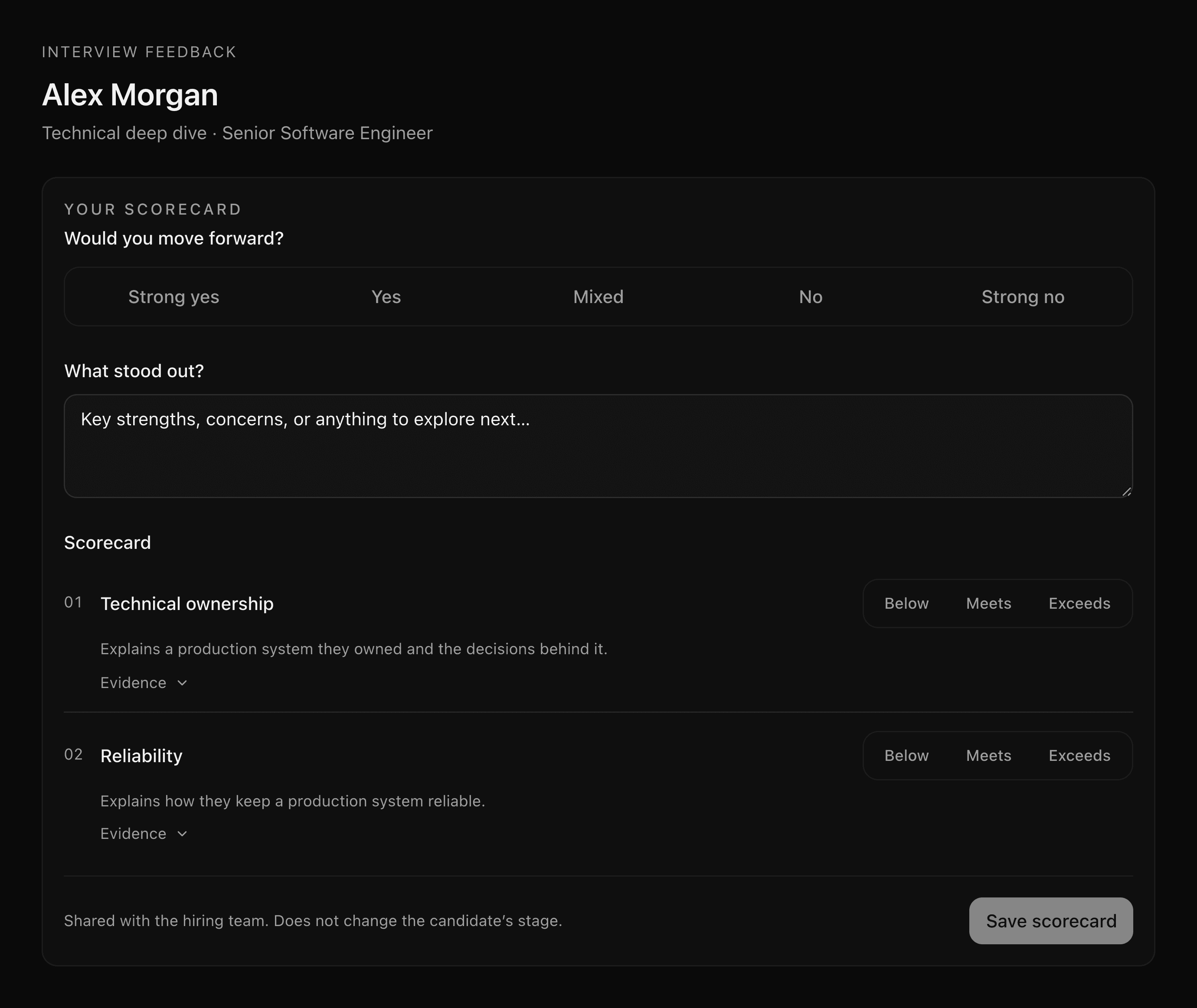
During the call, open Interview scorecard → Scorecard to record ratings and evidence as you go. Select Save scorecard to save your assessment.
After you leave a Signal call, interviewers with dashboard access go to the feedback page. Rejoin interview takes you back to the room if you left early.
To write feedback later, open My Interviews → Past interviews, find the conversation, and select Review & scorecard. You can also open the candidate's Interviews tab, expand the interview, and select Add your scorecard.
Record your assessment
- Choose an overall recommendation. Select Strong yes, Yes, Mixed, No, or Strong no.
- Describe what stood out. Note the strengths, concerns, or topics that need another conversation. Be specific about what the candidate said or demonstrated.
- Rate the assessments you covered. Use Below, Meets, or Exceeds. Leave an assessment unassessed when the conversation did not give you enough evidence.
- Add supporting notes. Open Evidence for an assessment to explain its rating.
- Select Save scorecard.
What saving does
Your scorecard is attributed to you and shared with the hiring team. Other interviewers save their own recommendations and notes; their feedback does not overwrite yours. Return to the interview to update your scorecard when needed.
Saving a scorecard does not move the candidate to another stage. Review the team's feedback and make the candidate's next-stage decision separately.
On the feedback page, Share copies a link you can send to teammates who already have access. Each interviewer keeps their own assessment; the link does not grant access to new people.
Continue to Review past interviews to compare scorecards with the recording, transcript, and AI review brief.
Last updated on