Review past interviews
Review Superposition Signal interviews, complete scorecards, and compare the team's assessments.
Bring the hiring team back to the evidence. Signal keeps the recording, transcript, AI review brief, and each interviewer's scorecard together, so you can revisit an answer and understand the reasoning behind a recommendation.
These review tools are available for interviews held in Superposition Signal. Choose Signal in the stage's Conferencing settings before the interview. See Set up an interview stage.
Use My Interviews to return to conversations you took part in. Use the candidate's Interviews tab when you want to review their interview history across stages.
Return through My Interviews
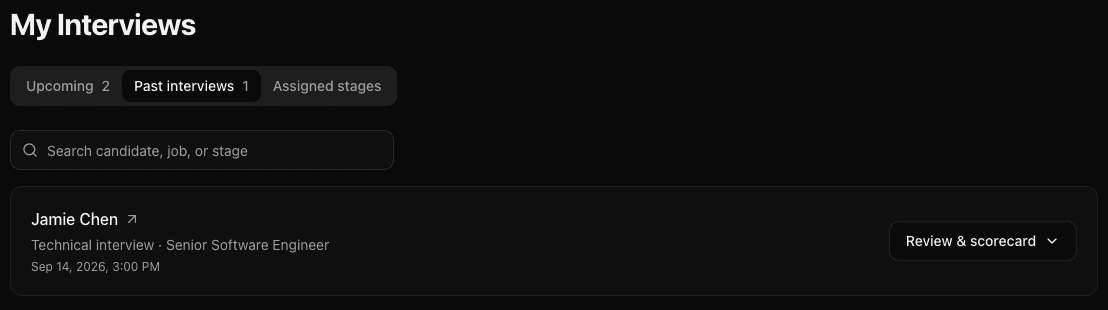
- Open My Interviews → Past interviews.
- Find the candidate. You can search by candidate, role, or interview stage.
- For a Signal interview, select Review & scorecard to open the interview inline.
Interviews held through other conferencing methods can still appear in this list. They show View candidate instead of Review & scorecard.
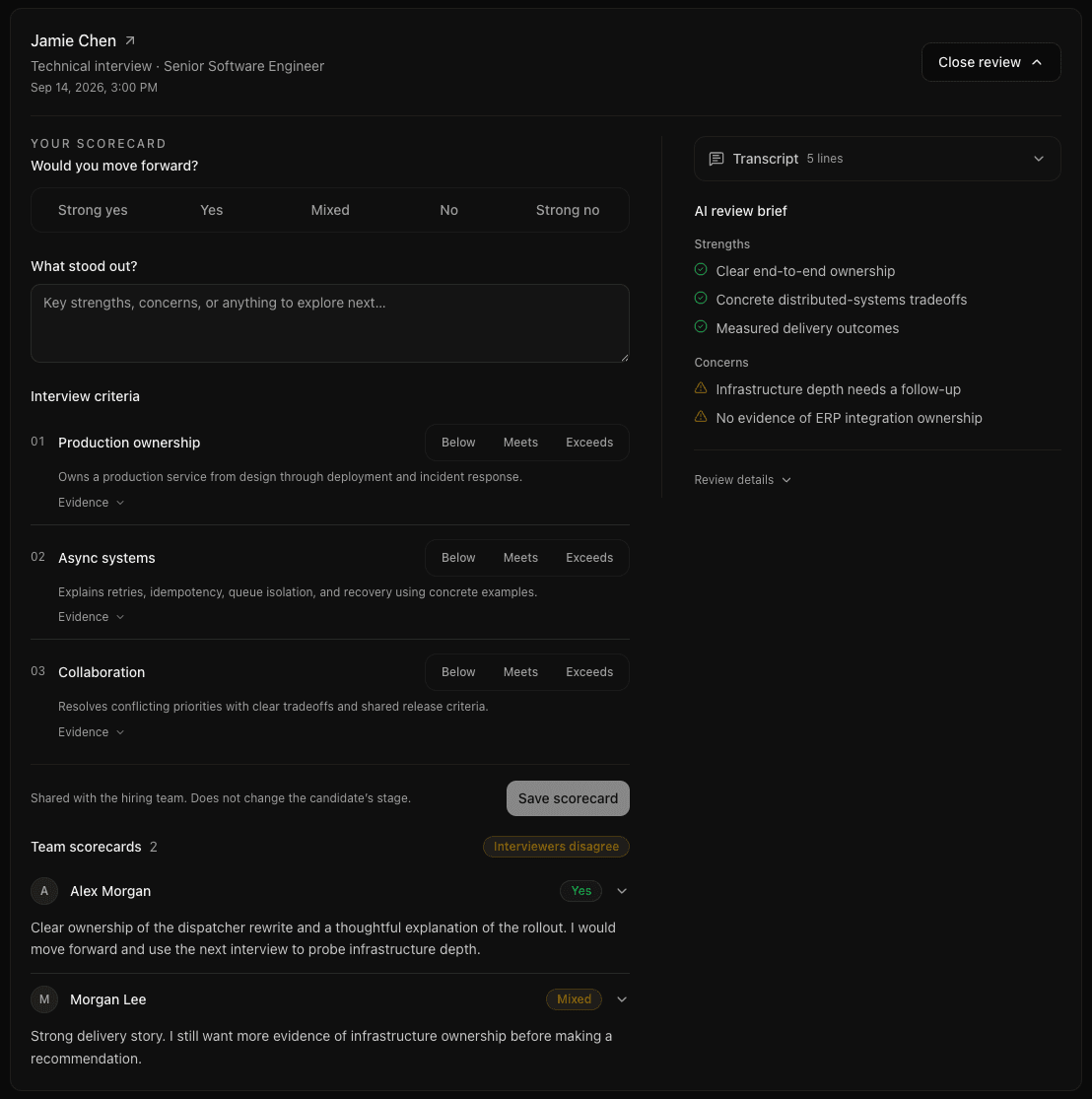
You can read the interview evidence and complete or update your scorecard in the same view. Other interviewers' scorecards appear beneath yours.
Review from the candidate's record
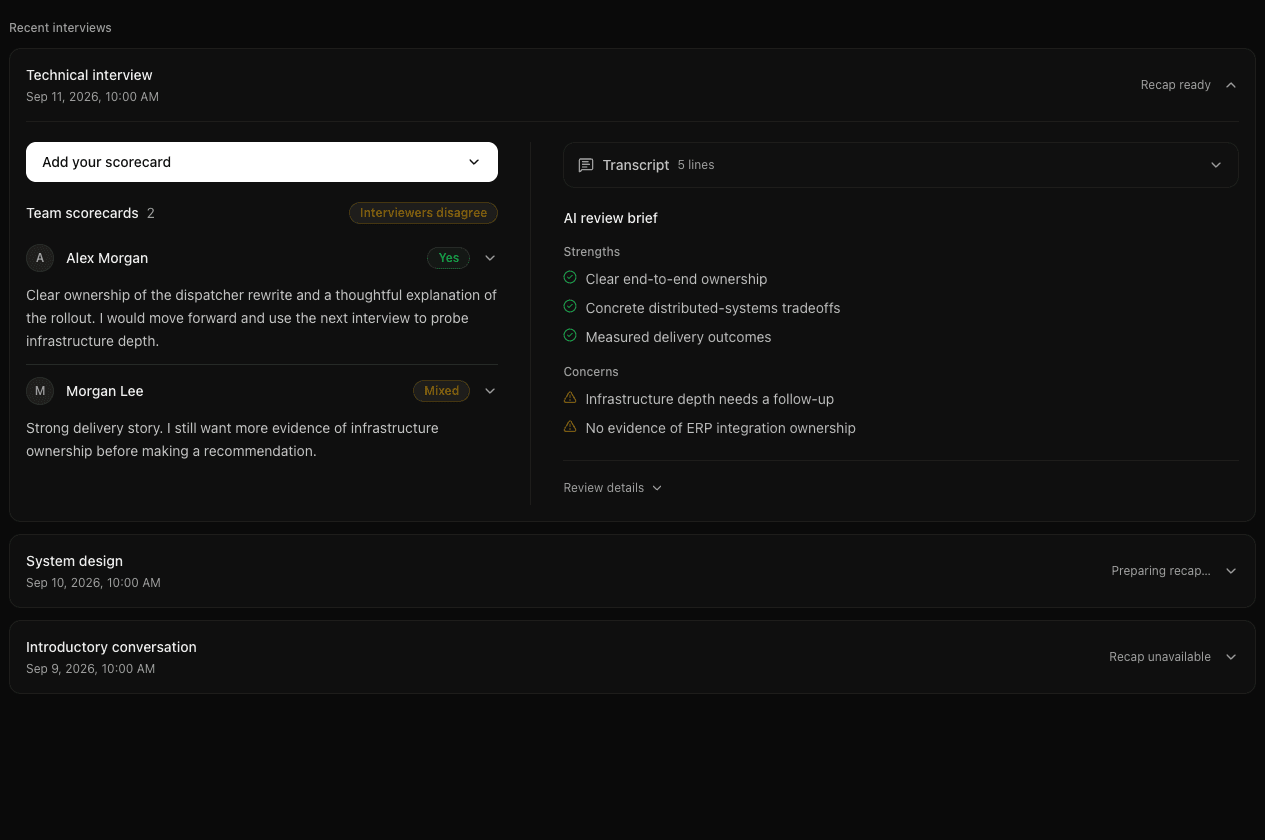
Open the candidate's Interviews tab and expand the relevant Signal interview. Each Signal interview has its own title, date, recap status, and feedback.
If you are an interviewer for that conversation, Add your scorecard opens your form there. An existing scorecard can be edited from the same interview.
Compare the team's feedback
Read each interviewer's recommendation and notes, then expand their scorecard for assessment ratings and evidence. If recommendations differ, the Interviewers disagree label helps you spot the conversation to review together.
The AI review brief highlights strengths and concerns from the interview. Open Review details for a fuller recap and supporting evidence. Use the recording and transcript to revisit what was said.
A recap marked Preparing recap… is still being processed. You can complete a scorecard while you wait. Recap unavailable means a recap is not currently available; it does not prevent the team from saving its own assessments.
Share the conversation with your team
On the interview feedback page, select Share to copy its link. A teammate with access can open the same recording, transcript, AI review brief, and saved scorecards. The link preserves your team's existing access permissions.
When opinions differ, use the evidence timestamps to return to the relevant moment in the recording. A concrete answer gives the team something to discuss beyond an overall rating.
The AI brief helps you find and review evidence. Interviewers own their recommendations, and your hiring team decides whether the candidate moves forward.
Last updated on