Interview scheduling
Let the recruiting agent handle invitations, candidate replies, and follow-ups once you approve an interview.
Approve the candidate. Let the agent coordinate the interview. Superposition sends the right invitation, handles replies in context, and follows up when a candidate has not booked. Your stage settings tell it who should attend, how to schedule, and what the candidate should prepare.
You can set this up in the dashboard or ask the agent in plain language:
Set up a 45-minute technical interview with Alex, Tuesday through Thursday afternoons in America/New_York. Use Superposition Signal and ask candidates to prepare a system they owned.
The agent can configure interviewers, duration, availability, conferencing, and preparation instructions. It asks for missing details; interviewers connect their own calendars so the booking page can show available times.
One approval starts the conversation
- Choose who to meet. Approve the candidate for the interview stage, or tell the agent to move them there and send the invitation.
- The agent coordinates. It introduces the interview, sends the configured booking link, and handles candidate replies using your stage instructions.
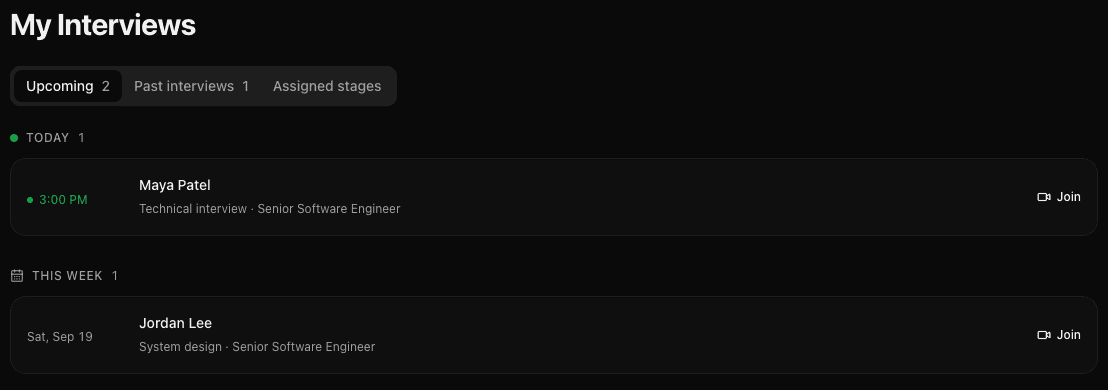
- The booking becomes visible. Built-in bookings appear in My Interviews. With assigned interviewers' calendars connected, external and manually arranged interviews can be tracked too.
- Everyone gets ready. Candidate reminders and interviewer briefings help both sides arrive with the time, link, and context they need.
Fit your team's process
Use the built-in booking page for live calendar availability, share an existing external scheduler, or hand coordination to a named teammate. Round-robin lets one available interviewer take the call; Everyone attends offers times the whole panel can make.
The agent follows the method you choose. When a human takes over the email conversation, it steps back from candidate outreach.
Let the agent schedule
Give one clear instruction and let the agent manage the candidate conversation.
Set up an interview stage
Choose interviewers, availability, and where the call happens.
Choose a booking method
Use built-in booking, an external scheduler, or a human coordinator.
Changes and follow-ups
Keep rescheduling, reminders, and unanswered invitations moving.
Make the interview count
Choose Superposition Signal for a room with candidate context, prepared questions, recording, transcription, and team review. Use Scorecards to turn the stage's goal into a shared assessment standard.
Screenshots use fictional candidates and sample interview content.
Last updated on