Set up an interview stage
Choose the interviewers, their availability, and where candidates will join.
Open the role's Scheduling tab and select an interview stage. Configure each stage for the conversation it represents, such as an introductory call or a technical interview.
1. Choose who attends
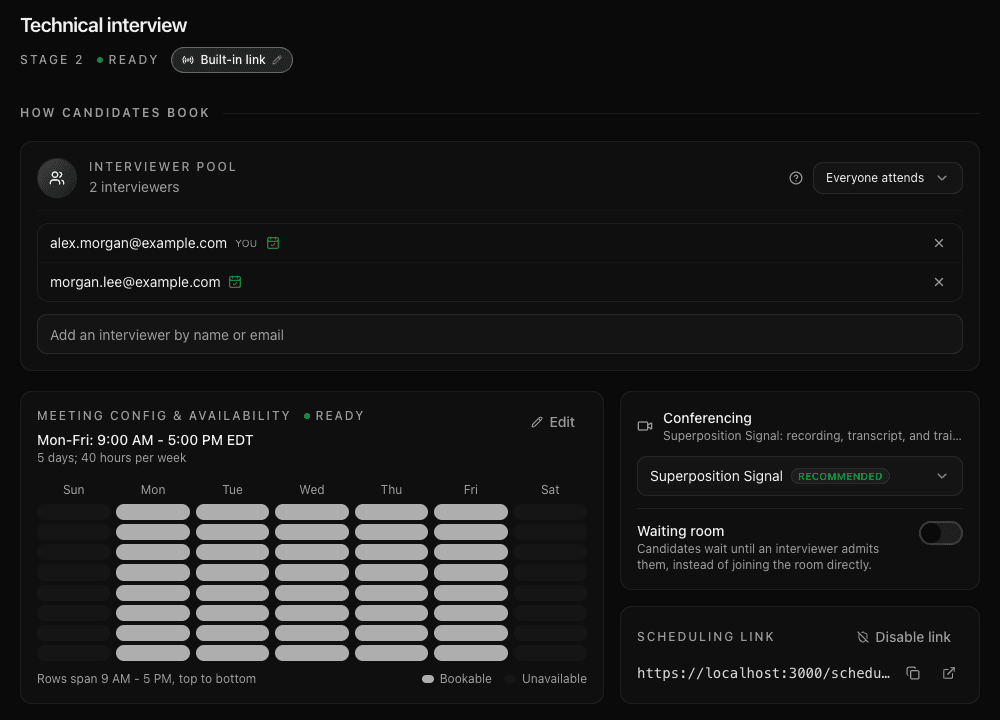
Add people to the Interviewer pool. For built-in booking, each interviewer needs a connected calendar.
| Assignment | When to use it | Times offered to candidates |
|---|---|---|
| Round-robin | Any one person in the pool can run the interview. | Available times across the pool; one interviewer takes the booking. |
| Everyone attends | The conversation needs the whole panel. | Times when all interviewers are available. |
2. Set availability
Review the stage's availability and interview duration. Choose hours your team can consistently offer, then check that the selected interviewers have connected their calendars.
3. Choose where the call happens
Under Conferencing, choose Superposition Signal to use the built-in interview room and review its recording, transcript, and AI review brief in Superposition.
If you use another conferencing provider, the conversation takes place in that provider's meeting room. The Superposition Signal walkthrough applies to Signal interviews.
For Signal, turn on Waiting room when you want an interviewer to admit the candidate.
4. Set the interview goal
Set the Interview goal and review the Scorecard under Interview scorecard. These tell interviewers what the conversation should establish.
Continue to Set up a scorecard, then choose a booking method.
Last updated on